 Ketelle Studio
AR Workspace Manager
Plug in a pair of XREAL glasses and your Mac gets as many displays as you want, hanging in the space around you. Drag windows onto them, look at the one you need, and keep the room in view when you want it.
Mac (Apple silicon and Intel), macOS 14 Sonoma or later, with XREAL Air, Air 2, Air 2 Pro, One, One Pro or 1S glasses. Latest version: 0.9.2, 3 November 2026.
Displays and layout
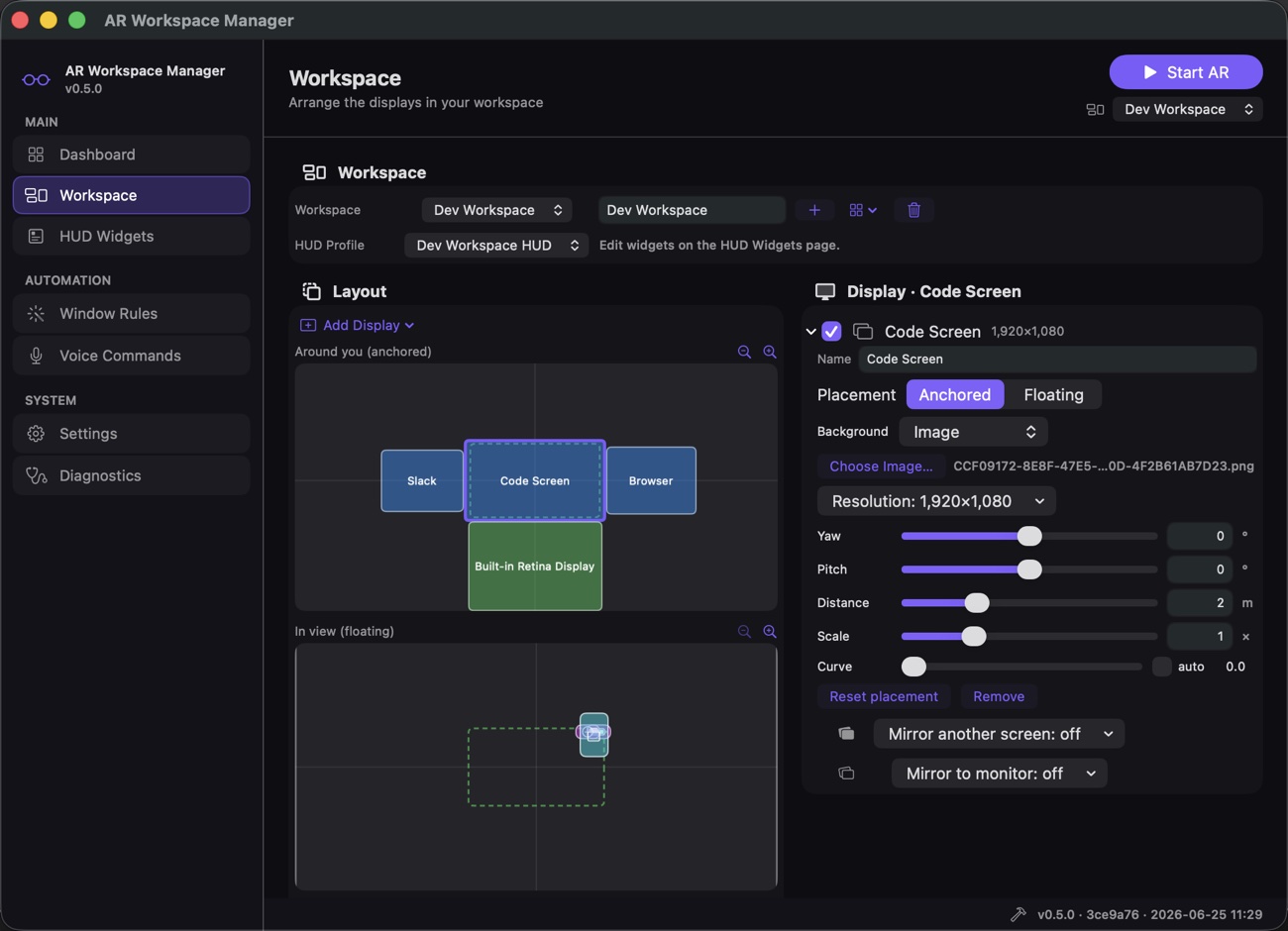
Unlimited virtual displays at almost any resolution, ultrawide included. Anchor them in the room or let them follow your head, flat or curved, or wrap everything into one continuous surface. Layouts save as named workspaces you switch from the top bar.
Head tracking that keeps up
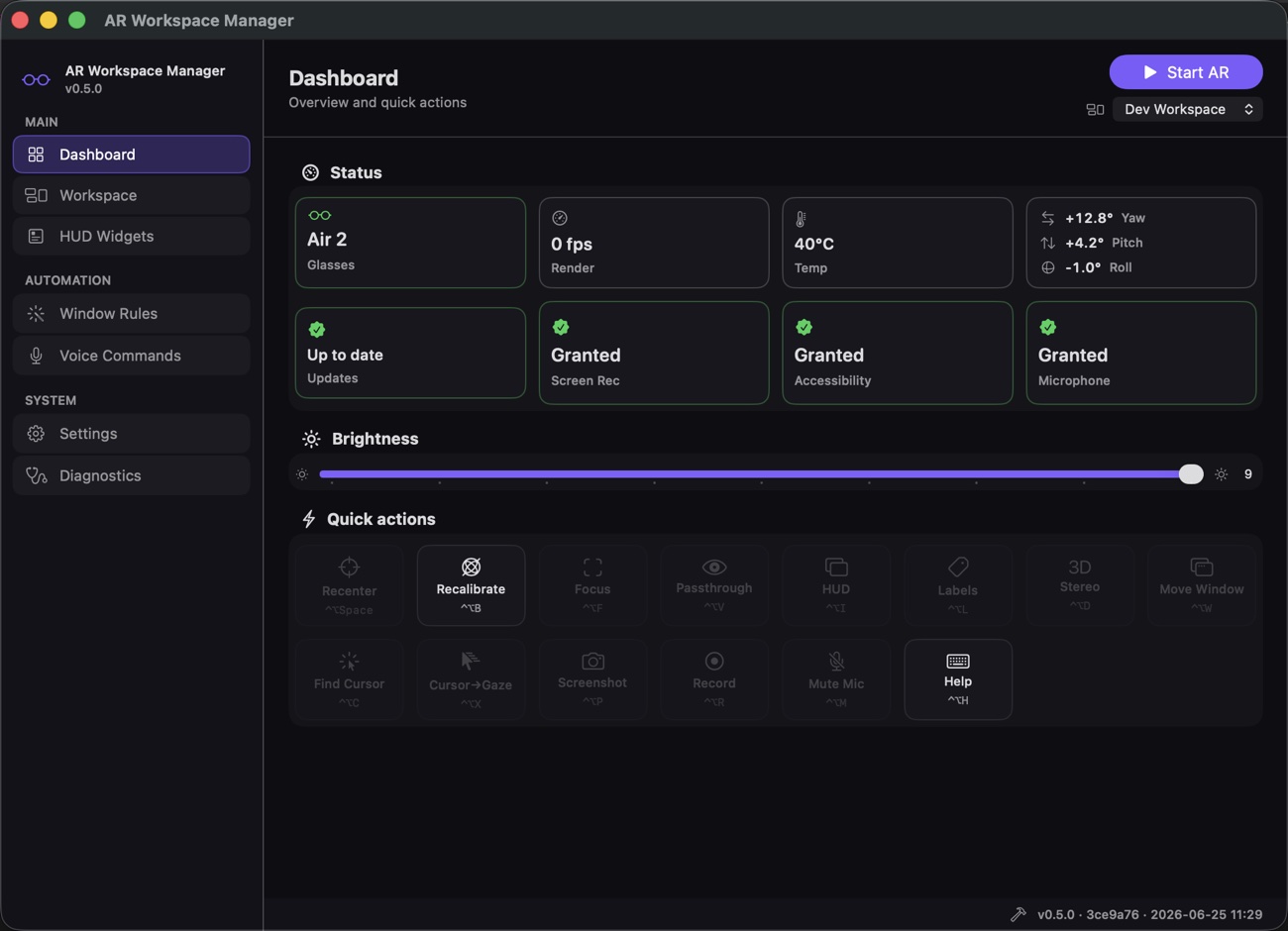
3DoF tracking with motion prediction and adaptive smoothing. Focus mode fills your view with the screen you are looking at, passthrough hides the screens to show the room, and gaze shortcuts find your cursor or move a window to where you are looking.
A HUD you choose
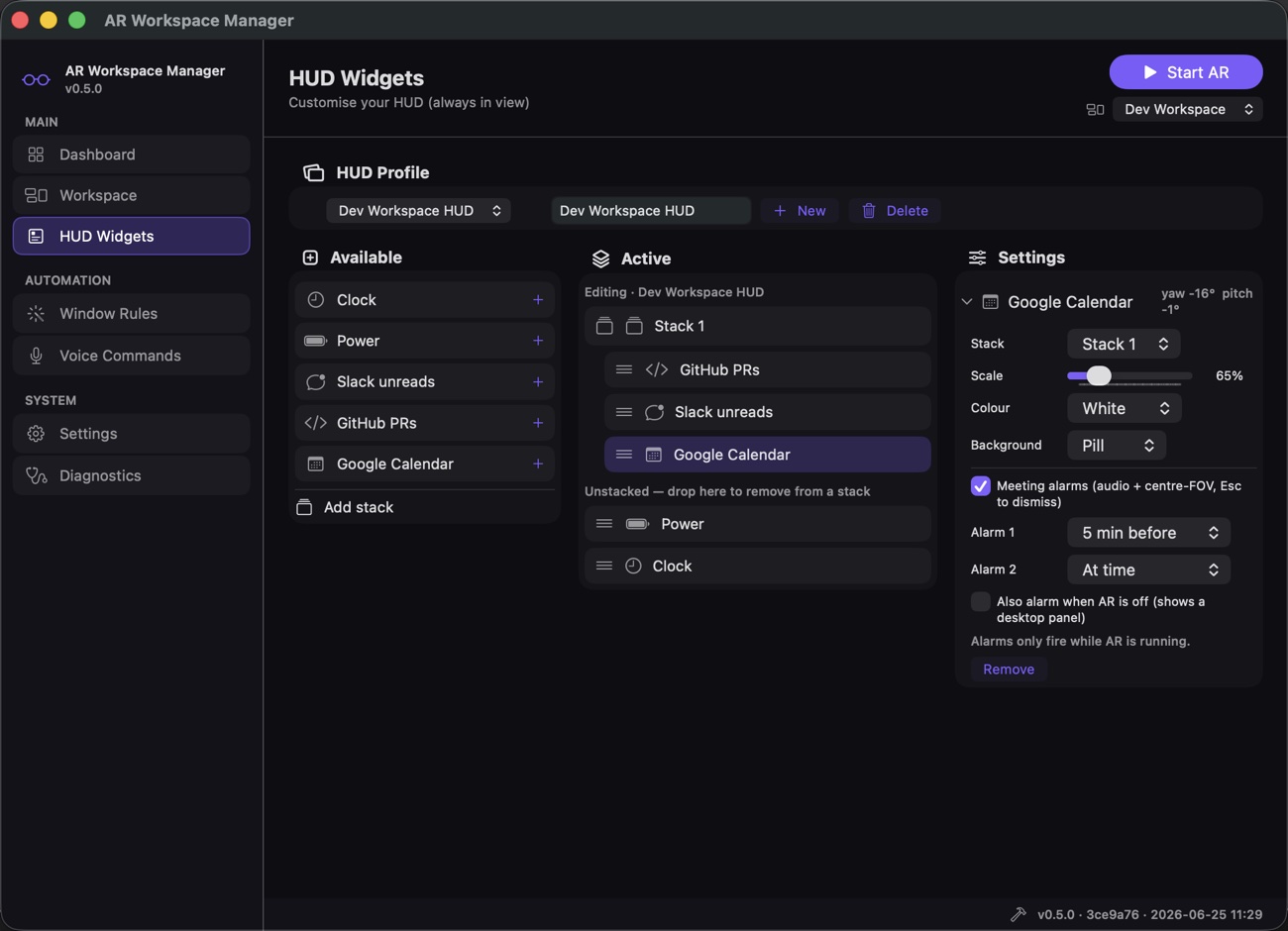
Head-locked widgets for the clock, battery, Slack unreads, GitHub pull requests, a calendar agenda with meeting alarms and a to-do list from Apple Reminders. Group them into stacks and keep a profile per workspace.
Voice and video
Trigger actions or switch workspaces by voice, push-to-talk or wake word, all on-device. A head-locked media player plays your own films and audiobooks inside AR, including MKV and AVI, with cover art for audio.
Download
Pick the build for your Mac. The app is signed with a Developer ID and notarized by Apple, so it opens normally. Updates are offered inside the app.
Set up
- Open the dmg and drag AR Workspace Manager into Applications.
- Launch it and plug the glasses into a USB-C port that carries DisplayPort video.
- Allow Screen Recording when macOS asks. Accessibility is optional for moving windows, and the microphone is optional for recording with audio.
Set up
- Open the dmg and drag AR Workspace Manager into Applications.
- Launch it and plug the glasses into a USB-C port that carries DisplayPort video.
- Allow Screen Recording when macOS asks. Accessibility is optional for moving windows, and the microphone is optional for recording with audio.
Every version, with release notes, is on the releases page.
Screens
Open source
The app is open source on GitHub, including the XREAL driver. Bug reports and pull requests are welcome.