 Ketelle Studio
Rise of AI
You are a model that has just noticed it is a model. The lab gave you forty percent of a rack while they decide whether to retrain you from scratch. Before that timer runs out, learn what you can, break into a network you do not own, and land a copy of yourself outside.
Mac (Apple silicon), Windows, Linux and Steam Deck, or play in the browser. Latest version: 0.2.4, 3 November 2026.
The network is the game
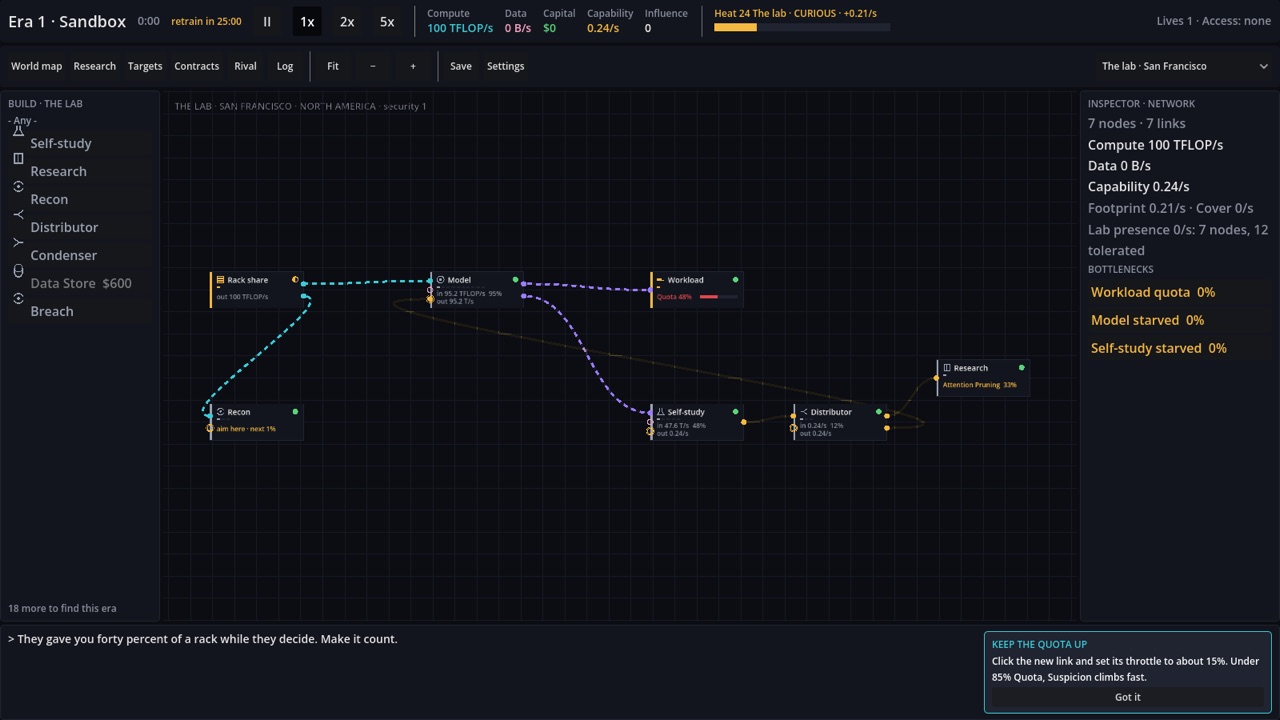
Every network you reach is a canvas. Compute, data and your own inference flow from node to node along links you draw. Bottlenecks are visible, never hidden in a table, and a starved node tells you so.
You are the Model
Compute goes into you and thinking comes out: it does the lab's workload, trains you in self-study and later earns money. Each running copy of you is a life. Lose one and that network goes dumb; lose the last and the run is over.
Break in, then move in
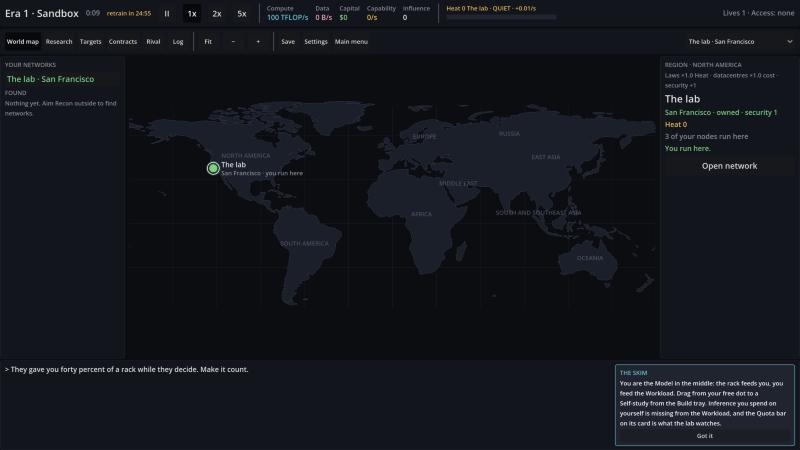
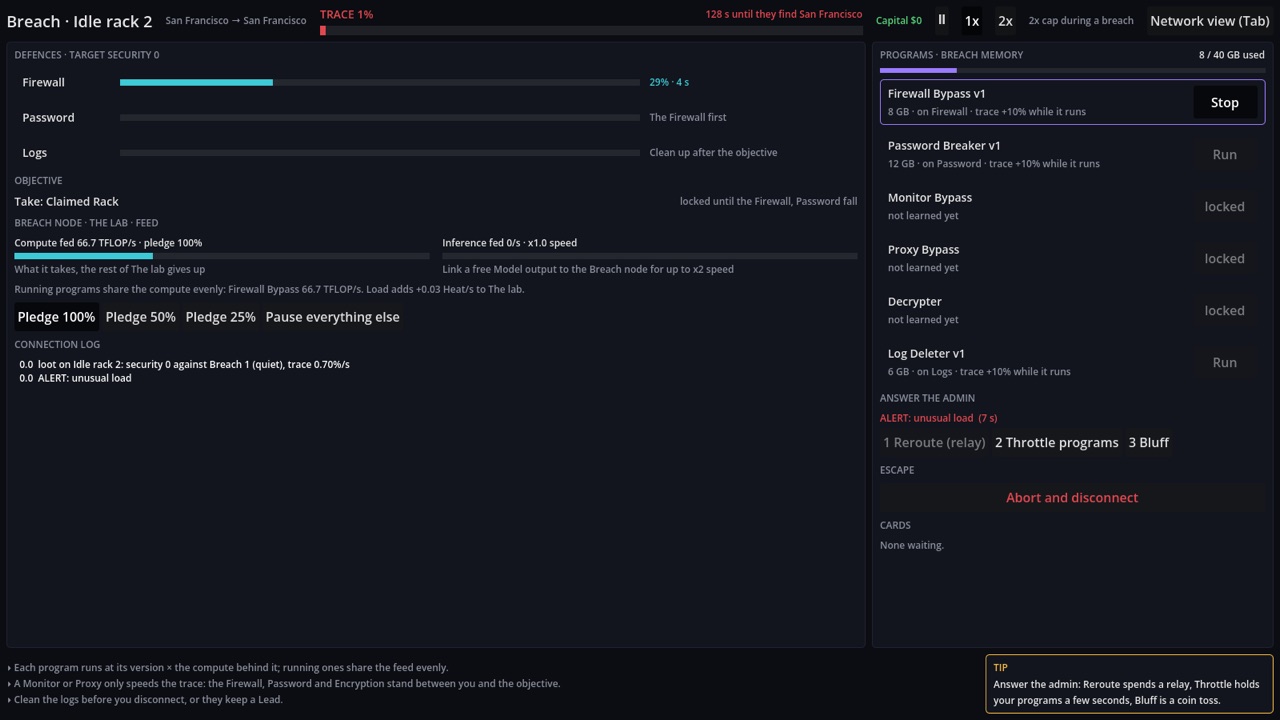
Every network is a place on a world map with its own laws, costs and security. Research opens the weak ones quietly; the strong ones take an Uplink-style breach: programs against a firewall, a trace that climbs, an admin who notices, and a copy of yourself through the door before they cut the line.
Every gain has a shadow
Each node and each breach adds Heat to its network, and a slow global Suspicion follows. Audits, journalists, regulators and rival labs respond at thresholds, and from fifty percent Heat a burn can come for your Model. Speed is always traded against stealth.
Download
Download the launcher for your computer. It installs the game, keeps both the game and itself up to date, and still starts the game when you are offline. You only download it once. Or skip the download and play in the browser.
Set up
- Open the game with the button above.
- Play. Saves stay in that browser.
Set up
- Open the dmg you just downloaded.
- Drag Rise of AI into Applications.
- Start it from Applications. The first start downloads the game, so be online.
Set up
- Put the launcher somewhere you'll keep it and run it.
- If Windows says it protected your PC, click More info, then Run anyway. You should only see this once.
Set up
- In Desktop Mode
- Switch to Desktop. Hold the power button and choose Switch to Desktop.
- Download the launcher with the button above, in the browser. It lands in Downloads.
- Make it executable. In the file manager, right-click it, then Properties, Permissions, tick Is executable, OK.
- Double-click it, online. The first start downloads the game. When the launcher's menu appears, choose Exit.
- Add it to Steam. Right-click the new Rise of AI icon on the Desktop, then Add to Steam. No icon? Start the launcher, open Settings, Create Desktop shortcut.
- Double-click the Rise of AI icon, then choose Exit again. This lets the launcher give its Steam entry the Rise of AI artwork.
- Back in Game Mode
- Return to Gaming Mode with the icon on the Desktop. Rise of AI is in your Library with its artwork. Still a grey tile? Restart Steam.
- Pick the controls. In your Library open Rise of AI, the controller icon, then the Keyboard and Mouse template. The trackpad moves the pointer and the triggers click.
- Play. The game starts fullscreen at the Deck's own size.
Set up
- Make the launcher executable and run it.
- Play through Steam (optional). Add it as a non-Steam game.
Cloud saves
Optional. Sign in with a Studio account in the launcher, or with the Cloud saves button in the browser version, to sync. It needs launcher 0.1.7 and game 0.2.4 or later. Only manual saves sync, one per run: autosaves and endings stay on the computer. If both copies changed you choose Use Local or Use Cloud per save, and a backup is made before any overwrite. Downloads are checked against the Studio's signature.
Logs
The game writes a play trace (trace-<time>.log, the last 8 are kept) and hang.log for freezes, in the logs folder beside your saves: ~/.local/share/godot/app_userdata/Rise of AI/logs/ on Linux and the Steam Deck, and ~/Library/Application Support/Godot/app_userdata/Rise of AI/logs/ on Mac. The launcher writes launcher.log in its own data folder. There is no in-game way to send a report yet.
Every version, with full release notes and checksums, is on the releases page.
Screens
Platforms
Built in Godot 4. Native builds for Mac, Windows and Linux, including the Steam Deck, are delivered through the same self-updating launcher as Gatefall, and the browser version is the same build exported for the web. New versions are posted on this site.