 Ketelle Studio
iPhone Backup Explorer
Your iPhone backup holds the photos, messages and notes you thought you had lost. This app opens it on your Mac, including encrypted backups with your own password, and lets you find and export what you need. It never uploads anything.
Mac (Apple silicon and Intel), macOS 14 Sonoma or later. Latest version: 1.4.4, 18 September 2026.
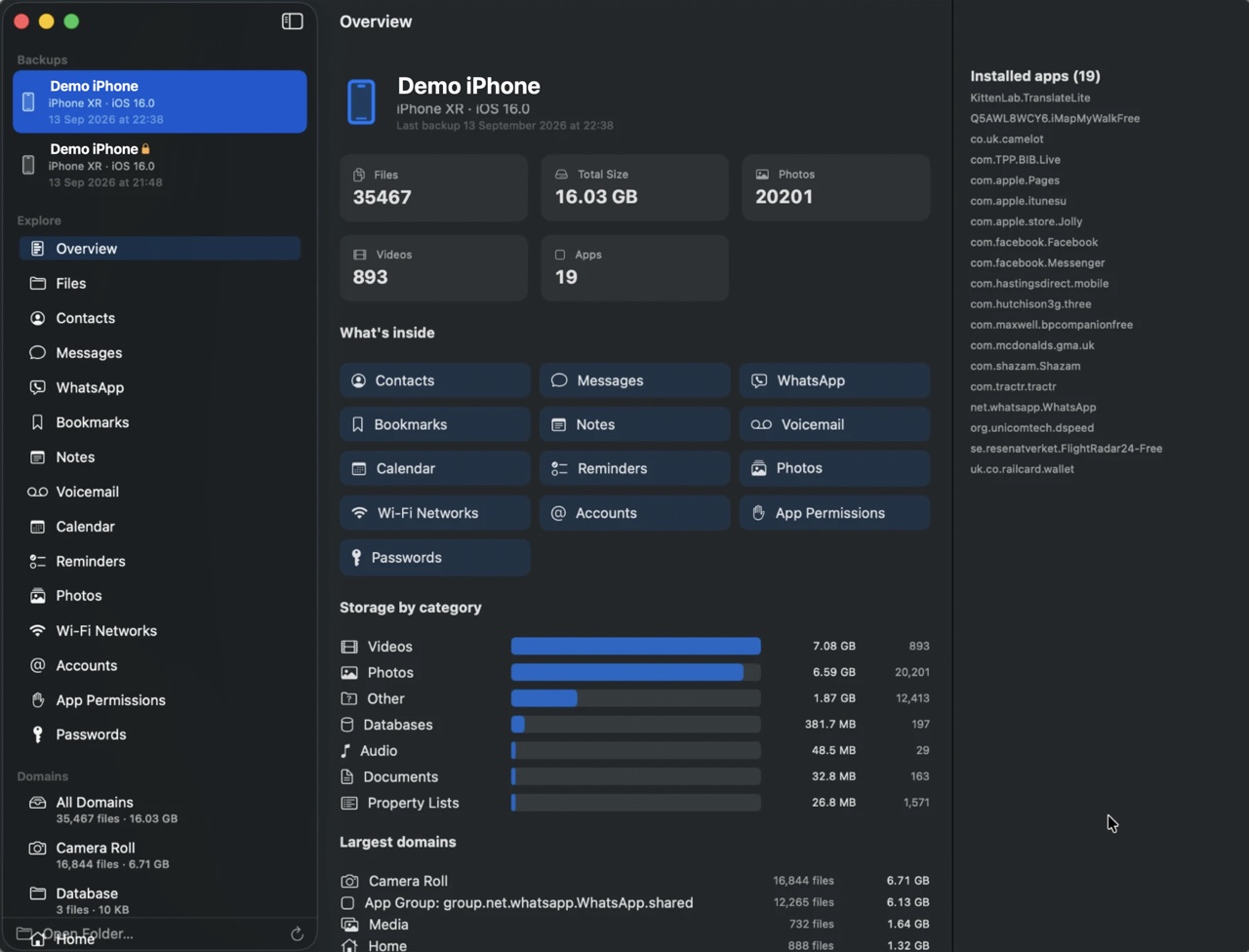
What you can browse
Photos, videos, audio and documents. Messages and WhatsApp conversations with their attachments. Contacts, call history and voicemail. Notes, calendars, reminders, Safari history and bookmarks, health summaries, known Wi-Fi networks, and passwords from supported encrypted backups.
Find it fast
Backups in the usual MobileSync folder are found automatically, or drop any backup folder onto the app. Search across files, contacts and messages, browse photos in a thumbnail gallery, and play video, audio and voicemail in place.
Export what you need
Export one item, a selection, a whole category or the complete backup, keeping the original folder structure or flattening it. Structured data goes out as CSV, vCard, iCalendar, Markdown or HTML.
Private by design
Decryption and processing happen on your Mac and nothing is written back to the backup. Open only backups you own or are authorised to access, and take care when exporting passwords, messages, health or location data.
Download
Free and open source under the MIT licence. The app is signed and notarized, and checks GitHub for updates.
Set up
- Open the dmg and drag iPhone Backup Explorer into Applications.
- Launch it and pick a backup.
- Give it access to the backup folder. macOS protects it: either give the app Full Disk Access in System Settings, or choose the folder yourself with Open Backup Folder.
Every version, with release notes, is on the releases page. Found a problem? Report it on GitHub, without attaching real backup data.
Screens
Why it exists
It started as a way to get photos and videos back out of one backup. The other viewers and exports grew from curiosity about what else was in there. They work well so far but have not been tested against every device and iOS version, so keep your original backup unchanged and check exports before relying on them.